Built Your Website With AI? A Security, Legal and SEO Checklist

Oblix Digital
Web design & SEO
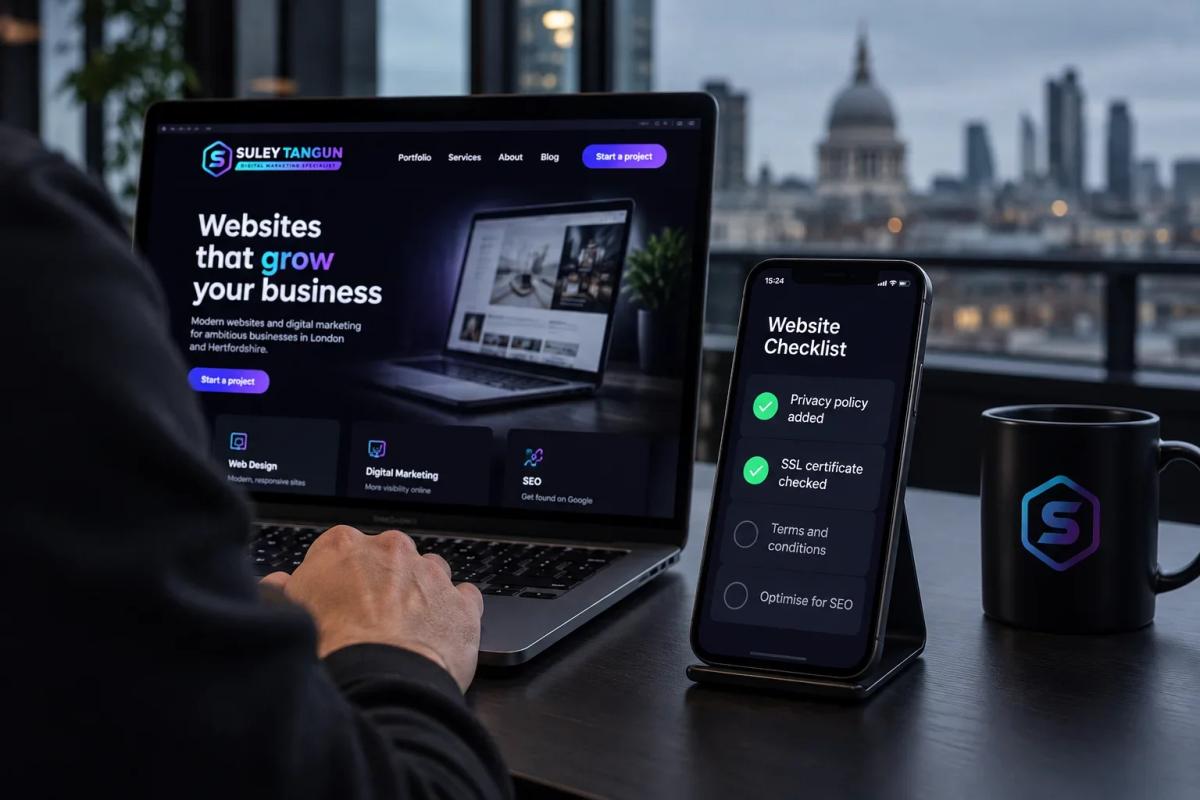
AI can build a complete website from a short description, and the first draft is often better than people expect. It is also often worse than it looks. I build client sites with AI coding tools every day, so this is my account of what happens when you hand the whole job over, followed by a library of prompts you can paste into your own AI tool to check what it missed.
The short version
- AI is excellent at speed: layouts, forms, repeated components and first drafts.
- It does not know your customers or your legal duties, and it will not mention a gap you did not think to ask about.
- The gaps tend to be the same few: security, missing pages, cookies and privacy, search, accessibility, forms and email, and what happens when something breaks.
- The prompt library further down checks each of those. Working through it takes an afternoon, and it can save you from hearing about a problem from a customer.
The good
First drafts are fast. Something that once took days to reach a first look can be on screen within an hour, which makes it inexpensive to try two or three design directions before committing to one.
It also lowers the barrier for anyone with a small budget, and once the direction is clear, AI is very good at the repetitive work that used to take up much of a build: page templates, form handling, responsive layouts, the same component repeated with small changes.
The bad
AI tools do not know your business. They do not know your customers, what those customers worry about before they buy, or what has worked for similar businesses. What they produce is plausible, which is not the same as effective.
Without someone checking, you can end up with a site that looks fine in a screenshot and has real problems underneath: slow load times, a mobile layout that breaks on certain phones, buttons a screen reader cannot make sense of, or copy that describes your services in words your customers never search for.
The copy deserves a particular warning. AI writes confident sentences about things it cannot know: your prices, how long you have been trading, the awards you have won. Those claims go live unless a person reads every one of them.
The ugly
Then there are the outcomes that cost people time and money.
- Security nobody thought about. A key left in the code, an admin page anyone can open, a form with no limits, or a package nobody ever updates. AI will not flag a risk you did not ask about, and the first sign is often a hacked site.
- Pages you did not know you needed. No privacy policy, no cookie choice, no terms, no company details in the footer. Customers, payment providers and regulators notice these before you do.
- Content you cannot take with you. Some platforms make it easy to build and hard to leave, so moving later means starting again.
- Weeks going in circles. Without the technical vocabulary to describe what is wrong, you ask the tool to "fix the layout" over and over while it confidently changes the wrong thing.
The last one is especially frustrating, because it feels as if you are nearly there the whole time.
Same technology, very different outcome
None of this means AI-built sites are bad. It means AI building the whole thing with nobody checking is a very different proposition from AI used as a tool by someone who knows what good looks like. The technology is the same. What differs is whether the person driving it can spot a slow page, a broken layout or a security gap before your customers do.
Three ways a site gets built now
A developer working without AI can still produce excellent work. It takes longer, so it tends to cost more. AI on its own, with nobody checking, gets you something fast and inexpensive that no one can properly maintain or vouch for. A developer using AI gets most of the speed and keeps the judgement, and for most small businesses that is the combination I would recommend.
What AI-built sites tend to miss
The same handful of gaps turn up again and again. Each has its own group of prompts in the library below.
- Security. Keys in the wrong place, admin pages that are not really protected, forms that anyone can abuse, out-of-date packages.
- Pages and legal. The privacy policy, terms, contact and company details, a proper 404 page, and the placeholder text nobody replaced.
- Privacy and cookies. What loads before a visitor has agreed, and what personal data you hold without realising.
- Search and speed. Titles, sitemaps, redirects from your old site, and the images and scripts that slow a phone down.
- Accessibility and quality. Keyboard use, contrast, layout on real phones, and claims on the page that are wrong or cannot be proved.
- Forms and email. Enquiries that quietly fail, and email that lands in spam.
- Running it. Backups you have never restored, accounts you do not own, and nothing to tell you the site is down.
Five quick facts worth knowing
- Accessibility affects a lot of people. In the UK government's latest Family Resources Survey, for 2024 to 2025, one in four people were disabled. A site that only works for people with good eyesight and a steady hand can turn some of them away.
- Faint text fails. WCAG 2.2, the main accessibility standard, asks for normal text to have a contrast ratio of at least 4.5 to 1 against its background. Pale grey on white often falls short, and free online checkers will test it.
- Small buttons fail too. WCAG 2.2 asks for buttons and links of at least 24 by 24 pixels, or enough space around them, because some people cannot tap small targets that sit close together.
- Search engines may see less than you do. Some AI builders make pages whose content only appears once JavaScript, the code that runs in your browser, has loaded. Google says not all bots can run JavaScript, so some crawlers may see a page with little or nothing on it.
- Rejecting cookies should be easy. The ICO, the UK's data protection regulator, says refusing consent should be as easy as accepting it. It uses a banner with only "Accept all" and "More options", and no "Reject all", as an example of bad practice.
How to use the prompts
- Open your project in an AI coding tool that can read your files, such as Claude Code, Cursor, Codex or GitHub Copilot in agent mode. If your site lives on Wix, Squarespace or a similar builder, you cannot open the code, but the prompts in Pages and legal, Privacy and cookies, and Accessibility and quality still work if you paste in your page text and describe the site.
- Back the project up first, or commit it, so there is always a way back.
- Copy one prompt, paste it and read the report. Every prompt tells the AI to report only and to leave your files alone.
- Fix the Critical and High items first, one at a time, and run the same prompt again to confirm each fix worked.
- Tick the prompt off in the library. Your ticks stay in your own browser.
Three cautions. Never paste a real password or key into a chat. The AI can be wrong, so treat what it finds as a list of leads to check, not a verdict. And if you can, run the audit in a different tool, or with a different model, from the one that built the site: two tools rarely share the same blind spots, and one tool checking its own work tends to repeat them. The legal prompts list gaps and are not legal advice.
The prompt library
Pick a group, open a prompt and read what it checks. The bar shows one line of the prompt beside a Copy button, and Show full prompt reveals the whole text that Copy puts on your clipboard.
20 prompts in 7 groups. Run them one at a time in an AI tool that can read your project, and tick each one off as you go. Your ticks are saved in this browser only.
Most hacked small-business sites are not hit by anything clever. A key was left where anyone could read it, an admin page was open, a form had no limits, or a package nobody updated had a known hole. These five prompts look for those. Start with secrets and access, because they are the ones that cost the most when they go wrong.
AI tools often put a key straight into the code to make something work, then forget it. A key in the code that reaches the browser, or in the project's history, can be found and used by anyone. This prompt looks for keys in files, in the browser bundle, in git history and in logs, and tells you which ones to replace.
Find passwords, API keys and tokens that are exposed in the code, the browser bundle, git history or logs.
You are a senior application security reviewer. Audit this project for exposed secrets.

First:
- Work out what this project is built with (framework, hosting, database, login system, payment and email services) by reading the config and package files, and tell me in two lines before you start.

Ground rules:
- Report only. Do not change, create, move or delete any file, and do not run anything that changes data, sends email or deploys.
- If you cannot tell something from the code, write "cannot tell from the code" and say what I would need to check, instead of guessing.
- Never print a real secret, key or password. Show the file, the line and the first four characters only.
- Be specific: name the file and line for every finding, and quote the short piece of code involved.

Check each of these:
1. Search every file, including config, scripts, docs, tests and example files, for API keys, tokens, passwords, private keys, database connection strings and webhook secrets.
2. Check which environment variables are exposed to the browser. In Next.js that is anything starting NEXT_PUBLIC_, in Vite anything starting VITE_, and so on. Flag any secret, service-role key, admin key or private API key that has been given a browser-visible name.
3. Check whether .env files, key files or backups are committed, or listed in .gitignore too late. Look through git history for secrets that were committed and later removed, because removing them from the latest version does not remove them from history.
4. Check the built output and any source maps for embedded keys.
5. Check logging and error handling for places that print keys, tokens, session cookies, passwords or full request bodies.
6. Check that example files (.env.example and similar) contain only placeholders.

Report as a table with these columns: Severity (Critical, High, Medium or Low), Where (file and line), What is wrong, Why it matters, How to fix it.
Add a second table called "Replace these": for each secret that has been exposed, say which service it belongs to and that I should create a new one and revoke the old one, because deleting it from the code does not make it safe again.
Then list what looks fine, in one line each. Finish with the three fixes I should make first, in order, and what each one would take (minutes, hours or days).
A hidden button is not protection. If the admin area, an API route or a database table answers anyone who asks, it is open. This prompt checks that every protected page and action is checked on the server, that one customer cannot read another's data, and that login, sessions and password reset are built properly.
Check that every admin page, API route and database rule is protected on the server, not just hidden in the interface.
You are a senior application security reviewer. Audit this project for broken access control and weak login.

First:
- Work out what this project is built with (framework, hosting, database, login system, payment and email services) by reading the config and package files, and tell me in two lines before you start.
- List every route, page, API endpoint, server action and database table or collection in the project, and mark which ones are meant to be private.

Ground rules:
- Report only. Do not change, create, move or delete any file, and do not run anything that changes data, sends email or deploys.
- If you cannot tell something from the code, write "cannot tell from the code" and say what I would need to check, instead of guessing.
- Never print a real secret, key or password. Show the file, the line and the first four characters only.
- Be specific: name the file and line for every finding, and quote the short piece of code involved.

Check each of these:
1. For each private route or action, confirm the code checks who is asking on the server before doing anything. Hiding a link or button in the interface does not count.
2. Look for places where a user could change an id in a URL or request (an order, invoice, booking or profile) and see someone else's data. Check that each lookup also checks ownership.
3. Check roles. Can an ordinary user reach admin functions by calling the endpoint directly?
4. If the project uses a hosted database with row-level security or security rules (Supabase, Firebase or similar), check that every table that holds private data has rules switched on and that the rules are not simply allowing everyone.
5. Check login: passwords are hashed by a proven library or the provider, there is a limit on repeated attempts, and error messages do not reveal whether an email exists.
6. Check password reset and magic links: tokens are random, expire quickly, work once, and are not logged.
7. Check sessions and cookies: HttpOnly, Secure and SameSite are set, sessions end on sign-out, and sensitive actions (changing email or password) ask for the password or a second factor again.
8. Check whether two-factor sign-in is available for admin accounts, and say if it is not.

Report as a table with these columns: Severity (Critical, High, Medium or Low), Where (file and line), What is wrong, Why it matters, How to fix it.
Then list what looks fine, in one line each. Finish with the three fixes I should make first, in order, and what each one would take (minutes, hours or days).
Every box a visitor can type into, every file they can upload and every link parameter is a way in. This prompt checks that the site does not trust any of it: that input is validated on the server, nothing is put into a page or a database query unsafely, uploads are restricted, and forms cannot be hammered by bots.
Check forms, URL parameters and file uploads for injection, script injection, unsafe uploads and missing limits.
You are a senior application security reviewer. Audit this project for injection, cross-site scripting, unsafe uploads and abusable forms.

First:
- Work out what this project is built with (framework, hosting, database, login system, payment and email services) by reading the config and package files, and tell me in two lines before you start.
- List every place the project accepts input from a visitor: forms, URL parameters, headers, cookies, uploads, webhooks and API calls.

Ground rules:
- Report only. Do not change, create, move or delete any file, and do not run anything that changes data, sends email or deploys.
- If you cannot tell something from the code, write "cannot tell from the code" and say what I would need to check, instead of guessing.
- Never print a real secret, key or password. Show the file, the line and the first four characters only.
- Be specific: name the file and line for every finding, and quote the short piece of code involved.

Check each of these:
1. Check that every input is validated on the server (type, length, allowed values), not only in the browser.
2. Look for database queries built by joining strings or using raw SQL with user input. Parameterised queries or the library's own query builder should be used.
3. Look for any use of dangerouslySetInnerHTML, innerHTML, document.write, eval or template rendering that outputs user-supplied text without escaping, and for user content shown in emails.
4. Check redirects that take a destination from the URL, and any server code that fetches a web address supplied by the visitor, because both can be abused.
5. Check uploads: allowed file types are checked by content and not only by name, there is a size limit, files are stored outside the web root or in a private bucket, filenames are not trusted, and uploaded files cannot be run as code.
6. Check forms that change data (not only the contact form) for protection against forged requests, such as SameSite cookies or tokens.
7. Check every public form for spam and abuse protection: rate limiting, a honeypot or a bot check, and a cap on message length. Check that a bot cannot use the form to send email to other people.
8. Check that error messages shown to visitors do not include stack traces, file paths, queries or internal ids.

Report as a table with these columns: Severity (Critical, High, Medium or Low), Where (file and line), What is wrong, Why it matters, How to fix it.
Then list what looks fine, in one line each. Finish with the three fixes I should make first, in order, and what each one would take (minutes, hours or days).
A site is built from hundreds of other people's packages, and old ones get known holes. The way the site is served matters too: security headers tell the browser what it may and may not do, and a few leftover files or debug settings give attackers a map. This prompt checks both.
Check dependencies for known vulnerabilities, and the site's security headers, HTTPS, CORS, cookies and exposed files.
You are a senior application security reviewer. Audit this project for vulnerable packages and weak hosting configuration.

First:
- Work out what this project is built with (framework, hosting, database, login system, payment and email services) by reading the config and package files, and tell me in two lines before you start.
- If you can run a read-only dependency audit (for example npm audit, pip-audit or the equivalent), do so and include the results. If you cannot run it, tell me the exact command to run.

Ground rules:
- Report only. Do not change, create, move or delete any file, and do not run anything that changes data, sends email or deploys.
- If you cannot tell something from the code, write "cannot tell from the code" and say what I would need to check, instead of guessing.
- Never print a real secret, key or password. Show the file, the line and the first four characters only.
- Be specific: name the file and line for every finding, and quote the short piece of code involved.

Check each of these:
1. List dependencies with known vulnerabilities, with severity and the version that fixes each. Say which ones are in production code and which are only used during development.
2. List packages that are abandoned, very old, or far behind the current major version, and note anything that needs a major upgrade to be safe.
3. Check that a lockfile is committed and that the install in production uses it.
4. Check the security headers the site sends (in the framework config, a middleware file, hosting config or a headers file): Content-Security-Policy, Strict-Transport-Security, X-Content-Type-Options, Referrer-Policy, Permissions-Policy and frame protection (frame-ancestors or X-Frame-Options). Say which are missing and suggest values that will not break the site.
5. Check that everything is served over HTTPS, that http redirects to https, and that cookies are marked Secure.
6. Check CORS: flag any rule that allows every origin on endpoints that use cookies or return private data.
7. Check that debug mode, verbose errors, test routes, sample data and admin tools are switched off for production, and that source maps are not publicly served unless intended.
8. Check for files and paths that should never be public: .env, .git, backups, database dumps, config files, /admin or /phpinfo style pages, and directory listings.

Report as a table with these columns: Severity (Critical, High, Medium or Low), Where (file and line), What is wrong, Why it matters, How to fix it.
Then list what looks fine, in one line each. Finish with the three fixes I should make first, in order, and what each one would take (minutes, hours or days).
The services your site connects to need handling carefully. A payment webhook that does not check who sent it can be faked, a card number should never touch your own server, and every third-party script on the page runs with the same power as your own code. This prompt checks each of those connections.
Check payment and webhook handling, API key scope and every third-party script loaded on the site.
You are a senior application security reviewer. Audit this project for unsafe use of third-party services, payments and scripts.

First:
- Work out what this project is built with (framework, hosting, database, login system, payment and email services) by reading the config and package files, and tell me in two lines before you start.
- List every external service the project talks to (payments, email, analytics, maps, chat, forms, CMS, storage) and every third-party script or iframe the pages load.

Ground rules:
- Report only. Do not change, create, move or delete any file, and do not run anything that changes data, sends email or deploys.
- If you cannot tell something from the code, write "cannot tell from the code" and say what I would need to check, instead of guessing.
- Never print a real secret, key or password. Show the file, the line and the first four characters only.
- Be specific: name the file and line for every finding, and quote the short piece of code involved.

Check each of these:
1. For payments, confirm that card details are collected by the payment provider's hosted fields or checkout and never pass through this project's own server or logs.
2. For every webhook endpoint, confirm the code verifies the sender's signature before doing anything, rejects repeats of the same event, and does not trust amounts or prices sent by the browser. Prices and totals must be calculated on the server.
3. For each API key the project uses, say whether it has more permission than it needs, and whether a restricted key or a separate read-only key would do.
4. List third-party scripts loaded on pages. For each, say what it is for, whether it loads before the visitor has agreed to anything, and whether it is still needed. Flag scripts loaded from a domain that is not clearly the vendor's.
5. Check embeds (maps, video, chat widgets) for permissions they do not need, and for whether they set cookies before consent.
6. Check that outgoing emails and notifications cannot be used to send content to arbitrary addresses.

Report as a table with these columns: Severity (Critical, High, Medium or Low), Where (file and line), What is wrong, Why it matters, How to fix it.
Then list what looks fine, in one line each. Finish with the three fixes I should make first, in order, and what each one would take (minutes, hours or days).
The pages and features that are missing are the ones nobody notices until a customer, a payment provider or a regulator does. This tab checks what a UK business site is expected to have. It lists gaps; it is not legal advice, so ask a solicitor about anything that matters to your sector.
AI builders create the pages you asked for and skip the ones you did not know to ask for. This prompt lists which of the expected pages exist, which are empty or filled with placeholder text, and whether the footer links to them. It includes the information UK businesses are expected to show on their site.
List which expected pages exist (privacy, cookies, terms, contact, 404, company details) and which are missing or placeholders.
You are a careful UK small-business website reviewer. Audit this project for missing pages and missing required information.

First:
- Work out what this project is built with (framework, hosting, database, login system, payment and email services) by reading the config and package files, and tell me in two lines before you start.
- Read every page and the footer and header navigation. Tell me what type of business the site seems to be (services, shop, bookings, content), because that changes what is needed.

Ground rules:
- Report only. Do not change, create, move or delete any file, and do not run anything that changes data, sends email or deploys.
- If you cannot tell something from the code, write "cannot tell from the code" and say what I would need to check, instead of guessing.
- Never print a real secret, key or password. Show the file, the line and the first four characters only.
- Be specific: name the file and line for every finding, and quote the short piece of code involved.

Check each of these:
1. Privacy policy: exists, is linked from the footer and from every form that collects personal data, and describes what this site actually collects, who processes it, how long it is kept and how to ask for it to be deleted. Flag any generic or template text that does not match the site.
2. Cookie policy or cookie preferences link: exists and can be reopened at any time after the first choice.
3. Terms and conditions: required if the site sells anything, takes bookings or deposits, or makes promises about delivery, cancellation or refunds. Flag if missing.
4. For shops and paid bookings: delivery information, returns and refund policy, cancellation rights, and prices shown with any extra charges before payment.
5. Contact page with a real email address, and a phone number or postal address where the business has one. Check these match the details used elsewhere on the site.
6. Business details in the footer or an about page: the trading name, and for a limited company the registered company name, registered number, registered office address and the VAT number if VAT registered. For a sole trader, the owner's name and a contact address.
7. A custom 404 page that links back to useful pages, and a friendly error page for server errors.
8. An accessibility statement or at least a way to report accessibility problems (recommended).
9. Thank-you or confirmation pages for forms and purchases.
10. Anything left as placeholder: lorem ipsum, example.com addresses, 'Your Company Name', default titles such as 'Create Next App', sample testimonials, or a template's demo images.

Report as a table with these columns: Severity (Critical, High, Medium or Low), Where (file and line), What is wrong, Why it matters, How to fix it.
Add a short table at the top called "Page checklist" with one row per page or item above and the status: present, placeholder, or missing.
Then list what looks fine, in one line each. Finish with the three fixes I should make first, in order, and what each one would take (minutes, hours or days).
Visitors do not notice these features when they are there and notice at once when they are not: a working way to get in touch, a favicon, a sensible share image, links that work, email that can be unsubscribed from. This prompt checks the small things that separate a finished site from a draft.
Check the finishing touches: working links, favicon, share images, form confirmations, unsubscribe links and sensible defaults.
You are a meticulous quality reviewer for small-business websites. Audit this project for missing finishing features and broken basics.

First:
- Work out what this project is built with (framework, hosting, database, login system, payment and email services) by reading the config and package files, and tell me in two lines before you start.

Ground rules:
- Report only. Do not change, create, move or delete any file, and do not run anything that changes data, sends email or deploys.
- If you cannot tell something from the code, write "cannot tell from the code" and say what I would need to check, instead of guessing.
- Never print a real secret, key or password. Show the file, the line and the first four characters only.
- Be specific: name the file and line for every finding, and quote the short piece of code involved.

Check each of these:
1. Every link and button goes somewhere real. Find internal links to pages that do not exist, links to '#', empty href values, and links that open the wrong thing.
2. A favicon and an app icon exist and are the business's own, not the framework's default.
3. Every page has its own title, a meta description and a share image (Open Graph and Twitter card). Flag pages that all share the same title or have none.
4. Contact options work: the email link opens a message to the right address, the phone number is a tap-to-call link, and the form sends to an inbox that someone reads.
5. Forms confirm that they have worked, say what happens next, and show clear messages when something is wrong.
6. Any marketing email the site can send has an unsubscribe link and the sender's identity, and people are only added after they have asked to be.
7. The footer has the current year (or no year), working legal links and the business's details.
8. Opening hours, prices, service areas and other facts are the same everywhere they appear on the site. List any contradictions.
9. There is a way for a visitor to get a human: a phone number, an email address or a booking link on every page that asks for a decision.
10. Language is consistent (British English if the business is in the UK) and there are no obvious spelling mistakes in headings or buttons.

Report as a table with these columns: Severity (Critical, High, Medium or Low), Where (file and line), What is wrong, Why it matters, How to fix it.
Then list what looks fine, in one line each. Finish with the three fixes I should make first, in order, and what each one would take (minutes, hours or days).
In the UK, storing or reading anything on a visitor's device, and collecting personal data, comes with rules: PECR for cookies and similar technologies, and UK GDPR for personal data. The Data (Use and Access) Act 2025 changed some of the cookie rules and the Information Commissioner's Office published updated guidance in April 2026, so older advice may be out of date. These prompts find out what your site really does, which is the first step to getting it right.
A contact form collects a name and email address, and that is personal data from the moment it arrives. This prompt maps what the site collects, where it goes, who else sees it and how long it stays, and checks that your privacy policy says the same thing. It also checks the habits that cause trouble later, such as personal details in web addresses or logs.
Map every piece of personal data the site collects, where it goes, who else sees it and how long it is kept.
You are a UK data-protection reviewer for small businesses. Audit this project for personal data handling.

First:
- Work out what this project is built with (framework, hosting, database, login system, payment and email services) by reading the config and package files, and tell me in two lines before you start.
- List every form, account system, payment, booking, newsletter sign-up, chat and analytics tool that handles information about people.

Ground rules:
- Report only. Do not change, create, move or delete any file, and do not run anything that changes data, sends email or deploys.
- If you cannot tell something from the code, write "cannot tell from the code" and say what I would need to check, instead of guessing.
- Never print a real secret, key or password. Show the file, the line and the first four characters only.
- Be specific: name the file and line for every finding, and quote the short piece of code involved.

Check each of these:
1. For each, list the fields collected, where the data is stored (database, email inbox, spreadsheet, third-party service), and which outside companies receive it.
2. Check that each form asks only for what it needs, and that optional fields are clearly optional.
3. Check consent and wording: where a tick-box is used it is not pre-ticked; newsletter or marketing sign-up is separate from sending an enquiry; and the text beside each form links to the privacy policy.
4. Check retention: is there any code or process that deletes old enquiries, accounts, logs or backups? If not, say so and suggest a sensible period.
5. Check that personal data does not appear in URLs, analytics event names, error logs, console output or support emails.
6. Check that there is a clear way for someone to ask what you hold or to have it deleted, and that the code can actually find and delete a person's data.
7. Check the privacy policy against the code: every service that receives data is named, the purposes are accurate, and the retention periods match. List every mismatch.
8. Note whether data is sent outside the UK, and which services are involved, so the policy can say so.
9. Note whether the business probably needs to pay the ICO data protection fee or register, and tell me where to check.

Report as a table with these columns: Severity (Critical, High, Medium or Low), Where (file and line), What is wrong, Why it matters, How to fix it.
Then list what looks fine, in one line each. Finish with the three fixes I should make first, in order, and what each one would take (minutes, hours or days).
A site nobody finds, or that loads slowly on a phone, is not doing its job. These prompts check the technical side of being found, in Google and in AI search, and how fast the site feels. Run the speed prompt alongside Google's PageSpeed Insights so you have real numbers as well as the AI's reading.
AI builders often leave search settings at their defaults, or switch off indexing during development and never switch it back on. This prompt checks titles, descriptions, headings, canonical addresses, the sitemap, robots rules, redirects from the old site and structured data.
Check titles, descriptions, headings, canonical tags, sitemap, robots rules, redirects and structured data.
You are a technical SEO specialist. Audit this project for technical search engine optimisation problems.

First:
- Work out what this project is built with (framework, hosting, database, login system, payment and email services) by reading the config and package files, and tell me in two lines before you start.
- List every public page and its address.

Ground rules:
- Report only. Do not change, create, move or delete any file, and do not run anything that changes data, sends email or deploys.
- If you cannot tell something from the code, write "cannot tell from the code" and say what I would need to check, instead of guessing.
- Never print a real secret, key or password. Show the file, the line and the first four characters only.
- Be specific: name the file and line for every finding, and quote the short piece of code involved.

Check each of these:
1. Check that no page or the whole site is accidentally set to noindex or blocked in robots.txt (a common leftover from development), and that staging or preview addresses cannot be indexed.
2. Every page has a unique title (about 50 to 60 characters) and a unique meta description (about 140 to 160 characters). List duplicates, missing ones and any that are generic.
3. Every page has exactly one H1 that says what the page is about, and headings follow a sensible order. List pages with none, several, or a decorative one.
4. Each page has a canonical address, and the www and non-www and http and https versions all go to one version.
5. A sitemap.xml exists, lists only real pages that return 200, and is referenced from robots.txt. Flag pages missing from it.
6. Check the old site: if this replaces a previous site, list old addresses that should be redirected with a permanent (301) redirect, and check any redirects that exist are not chains or loops.
7. Check that pages which no longer exist return a proper 404 and not a page that says 'not found' with a 200 status.
8. Check images: meaningful alt text, sensible file names, sized correctly and not blocked from crawling.
9. Check structured data (JSON-LD): valid, matches the visible content, and uses the right types (Organization or LocalBusiness, Service, Article, FAQ only where there really is an FAQ).
10. Check internal links: important pages are linked from the navigation or the home page, anchor text is descriptive, and nothing important is more than three clicks from the home page.

Report as a table with these columns: Severity (Critical, High, Medium or Low), Where (file and line), What is wrong, Why it matters, How to fix it.
Then list what looks fine, in one line each. Finish with the three fixes I should make first, in order, and what each one would take (minutes, hours or days).
Local customers search by area and service, and AI tools quote the pages that state facts clearly. This prompt checks that your business details are consistent and marked up properly, that service and area pages exist, and that AI crawlers are not blocked by accident.
Check business details, local schema, service and area pages, and whether search and AI crawlers can reach the site.
You are a local SEO and AI-search specialist. Audit this project for local search visibility and AI search readiness.

First:
- Work out what this project is built with (framework, hosting, database, login system, payment and email services) by reading the config and package files, and tell me in two lines before you start.

Ground rules:
- Report only. Do not change, create, move or delete any file, and do not run anything that changes data, sends email or deploys.
- If you cannot tell something from the code, write "cannot tell from the code" and say what I would need to check, instead of guessing.
- Never print a real secret, key or password. Show the file, the line and the first four characters only.
- Be specific: name the file and line for every finding, and quote the short piece of code involved.

Check each of these:
1. Find the business name, address, phone number, opening hours and service areas everywhere they appear (pages, footer, structured data, email templates). List every inconsistency, even small ones such as '&' versus 'and' or a different phone number format.
2. Check for LocalBusiness or Organization structured data with the same details as the visible text, including sameAs links to real social profiles and the Google Business Profile.
3. Check there is one page for each main service and, where relevant, each main area served, with original wording and not the same paragraph with the town name swapped.
4. Check the home page and service pages state plainly what the business does, for whom, where, and roughly what it costs or how pricing works.
5. Check that pages answer the questions customers really ask in clear sentences, with an FAQ section marked up only where the questions and answers are visible on the page.
6. Check robots.txt and any bot-blocking rules: say whether Googlebot, Bingbot and the main AI crawlers (for example GPTBot, ClaudeBot, PerplexityBot, Google-Extended) are allowed, blocked or unmentioned, and flag any block that looks accidental.
7. Check that important content is in the page's HTML and not only loaded after the page opens by JavaScript, because some crawlers do not run scripts.
8. Check that reviews or testimonials shown are real and not marked up as if they were independent ratings of the business unless they genuinely are.

Report as a table with these columns: Severity (Critical, High, Medium or Low), Where (file and line), What is wrong, Why it matters, How to fix it.
Then list what looks fine, in one line each. Finish with the three fixes I should make first, in order, and what each one would take (minutes, hours or days).
Google measures how quickly the main content appears, how much the page jumps around, and how fast it reacts to a tap. Large images, heavy scripts and third-party widgets cause most problems. This prompt finds them and ranks the fixes by how much they help.
Find the images, scripts, fonts and widgets slowing the site down, ranked by how much each fix would help.
You are a web performance engineer. Audit this project for page speed and Core Web Vitals problems.

First:
- Work out what this project is built with (framework, hosting, database, login system, payment and email services) by reading the config and package files, and tell me in two lines before you start.
- If a production build or Lighthouse can be run read-only, run it and use the numbers. If not, give me the exact commands to run and say what to look for.

Ground rules:
- Report only. Do not change, create, move or delete any file, and do not run anything that changes data, sends email or deploys.
- If you cannot tell something from the code, write "cannot tell from the code" and say what I would need to check, instead of guessing.
- Never print a real secret, key or password. Show the file, the line and the first four characters only.
- Be specific: name the file and line for every finding, and quote the short piece of code involved.

Check each of these:
1. Find images that are far larger than they are displayed, not in a modern format (WebP or AVIF), missing width and height, or loaded eagerly when they are below the fold. Check the largest image on each key page, because it is usually the one that sets the load time.
2. Check fonts: how many families and weights load, whether they are hosted by the site, and whether text stays visible while they load.
3. Check JavaScript: the size of the main bundle, large libraries used for one small thing, code that loads on every page but is used on one, and work done at page load that could wait.
4. Check third-party scripts and widgets (analytics, chat, maps, video, tag managers): list each with the cost it adds and say which could load later or on click.
5. Check for layout shift: elements with no reserved space, banners that push content down, and late-loading fonts or images.
6. Check caching: static files have long cache lifetimes, and pages are cached where safe.
7. Check for render-blocking CSS and scripts in the page head.
8. Check interaction: very long tasks, heavy animations, and scroll or resize handlers that run too often.

Report as a table with these columns: Severity (Critical, High, Medium or Low), Where (file and line), What is wrong, Why it matters, How to fix it.
Add the likely effect of each fix on the three Core Web Vitals (Largest Contentful Paint, Cumulative Layout Shift and Interaction to Next Paint).
Then list what looks fine, in one line each. Finish with the three fixes I should make first, in order, and what each one would take (minutes, hours or days).
Accessibility is part of building a website properly, and in the UK the Equality Act 2010 expects businesses to make reasonable adjustments for disabled customers. The usual benchmark is WCAG 2.2 level AA. These prompts also cover how the site behaves on real devices and whether the words on it are true, which matters more than most owners expect.
Around one in five people has a disability that affects how they use a website, and many more struggle with small text or glare. AI tools usually produce pages that look right but break for keyboard and screen reader users. This prompt checks the code against the common WCAG 2.2 AA failures. It cannot replace a test with real assistive technology.
Check the code against the common WCAG 2.2 AA failures: keyboard use, focus, contrast, labels, headings and motion.
You are an accessibility specialist who knows WCAG 2.2 level AA. Audit this project for accessibility failures.

First:
- Work out what this project is built with (framework, hosting, database, login system, payment and email services) by reading the config and package files, and tell me in two lines before you start.

Ground rules:
- Report only. Do not change, create, move or delete any file, and do not run anything that changes data, sends email or deploys.
- If you cannot tell something from the code, write "cannot tell from the code" and say what I would need to check, instead of guessing.
- Never print a real secret, key or password. Show the file, the line and the first four characters only.
- Be specific: name the file and line for every finding, and quote the short piece of code involved.

Check each of these:
1. Every interactive element (links, buttons, menus, tabs, accordions, modals) can be reached and used with the keyboard alone, in a logical order, with no keyboard traps. Flag clickable div or span elements that are not real buttons or links.
2. A visible focus indicator appears on every focusable element, and is not removed by CSS (outline: none) without a replacement.
3. A 'skip to content' link exists and works. Pages use proper landmarks (header, nav, main, footer).
4. Text and interface colours meet contrast (4.5:1 for normal text, 3:1 for large text and for controls). List the worst combinations, especially grey text on dark or coloured backgrounds and text over images.
5. Every image has suitable alt text (or empty alt if purely decorative), and icons that carry meaning have a text alternative.
6. Headings are in order and describe the content. There is one H1 per page.
7. Every form field has a real label linked to it, required fields are identified, and errors are written next to the field in plain words and announced to screen readers. Placeholder text is not used as the only label.
8. Modals, menus and accordions manage focus properly and can be closed with Escape. Check ARIA: roles and states are correct, and ARIA is not used where plain HTML would do.
9. Animations, auto-playing content and parallax respect prefers-reduced-motion and can be paused. Nothing flashes more than three times a second.
10. The page works at 200 per cent zoom and with text spacing increased, without losing content or scrolling in two directions. Touch targets are at least 24 by 24 pixels, and ideally 44.
11. Links make sense out of context (not 'click here'), and links that open in a new tab say so.
12. Video and audio have captions or a transcript.

Report as a table with these columns: Severity (Critical, High, Medium or Low), Where (file and line), What is wrong, Why it matters, How to fix it.
Then list what looks fine, in one line each. Finish with the three fixes I should make first, in order, and what each one would take (minutes, hours or days).
Most of your visitors are on a phone, and a layout that looks right on a laptop can fail in small ways on an iPhone or on a narrow screen: text running off the edge, sticky bars covering buttons, a viewport that jumps when the address bar moves. This prompt reviews the code for those problems and writes you a short test plan.
Review the layout code for phone and browser problems, and produce a short real-device test plan.
You are a front-end engineer who tests on real phones. Audit this project for mobile and cross-browser layout problems.

First:
- Work out what this project is built with (framework, hosting, database, login system, payment and email services) by reading the config and package files, and tell me in two lines before you start.

Ground rules:
- Report only. Do not change, create, move or delete any file, and do not run anything that changes data, sends email or deploys.
- If you cannot tell something from the code, write "cannot tell from the code" and say what I would need to check, instead of guessing.
- Never print a real secret, key or password. Show the file, the line and the first four characters only.
- Be specific: name the file and line for every finding, and quote the short piece of code involved.

Check each of these:
1. Check the viewport and responsive rules: content is readable and usable from 320 pixels wide upwards, nothing causes sideways scrolling, and fixed widths or large images do not overflow.
2. Check use of 100vh and fixed or sticky headers, footers and banners on phones: do they cover content, jump when the browser's address bar appears and disappears, or sit under the iPhone's notch, status bar or home bar? Look for safe-area handling.
3. Check tap targets are big enough and spaced, hover-only features have a touch alternative, and menus work by tap.
4. Check form inputs on phones: the right keyboard type is requested (email, tel, numeric), text is at least 16 pixels so iPhones do not zoom, and autofill attributes are set.
5. Check images and video scale correctly and do not stretch.
6. Check CSS and JavaScript features that are not supported in older or less common browsers, and say what happens when they fail.
7. Check print styles for pages people might print (contact details, prices, terms).
8. Check dark mode and high-contrast settings if the site responds to them, and that nothing becomes unreadable.

Report as a table with these columns: Severity (Critical, High, Medium or Low), Where (file and line), What is wrong, Why it matters, How to fix it.
Finish with a test plan of ten short checks I can do myself on a real phone and a laptop in under 15 minutes.
Then list what looks fine, in one line each. Finish with the three fixes I should make first, in order, and what each one would take (minutes, hours or days).
AI writes confident, polished copy about things it cannot know. Prices, years in business, guarantees, awards and customer numbers can all appear without anyone checking them, and a contradiction between two pages costs trust. This prompt lists every claim and every inconsistency so you can confirm or remove them. Only you know which are true.
List every factual claim and every contradiction in the copy, so you can confirm, correct or remove each one.
You are a careful copy and fact-checking editor for a UK small business. Audit this project for inaccurate, unprovable or inconsistent content.

First:
- Work out what this project is built with (framework, hosting, database, login system, payment and email services) by reading the config and package files, and tell me in two lines before you start.
- Read all the visible text on every page, including the footer, metadata, structured data, form labels, error messages and email templates.

Ground rules:
- Report only. Do not change, create, move or delete any file, and do not run anything that changes data, sends email or deploys.
- If you cannot tell something from the code, write "cannot tell from the code" and say what I would need to check, instead of guessing.
- Never print a real secret, key or password. Show the file, the line and the first four characters only.
- Be specific: name the file and line for every finding, and quote the short piece of code involved.

Check each of these:
1. Make a list of every factual claim: prices and price ranges, years in business, numbers of customers or projects, awards, accreditations, guarantees, response times, locations served, opening hours and statistics. For each one, give the page and say whether it can be verified from the project's own files. Mark anything I must confirm myself.
2. Find contradictions: the same fact stated two different ways on different pages or in the metadata (for example '15 years' and '20+ years', two different prices, two phone numbers).
3. Find testimonials, reviews, case studies and logos, and say which look like invented placeholders or cannot be tied to a real customer.
4. Find claims that could count as misleading under UK advertising rules, such as 'best in London', 'guaranteed results', 'no hidden fees' or 'cheapest', without evidence on the page. Do not rule on them; list them for me.
5. Find vague or generic sentences that could appear on any competitor's site, and suggest where a specific fact or example would be stronger.
6. Find wording that sounds written by a machine: stock openers, lists of three in every paragraph, 'not just X but Y' constructions, and long sentences trailing extra clauses.
7. Check spelling and grammar, and that the spelling is British English throughout.
8. Check that the site says what the business does within the first screen of the home page, and says what the visitor should do next.

Report as a table with these columns: Severity (Critical, High, Medium or Low), Where (file and line), What is wrong, Why it matters, How to fix it.
Then list what looks fine, in one line each. Finish with the three fixes I should make first, in order, and what each one would take (minutes, hours or days).
The most important thing a small-business website does is pass an enquiry to a person who answers it. These prompts check that the whole path works: the form, the spam protection, the email that reaches your inbox, and the email that confirms to the visitor. A form that quietly fails is worse than no form.
A form can look perfect and still lose every message: wrong recipient, a blocked email service, a validation error nobody sees, a database error swallowed in the background. This prompt follows each form from the first click to the inbox, and writes the test cases you should try by hand afterwards.
Follow every form from click to inbox, find places a message could be lost, and write the test cases to try by hand.
You are a quality engineer who tests contact and booking forms. Audit this project for forms that can fail or lose messages.

First:
- Work out what this project is built with (framework, hosting, database, login system, payment and email services) by reading the config and package files, and tell me in two lines before you start.
- List every form on the site and trace what happens on submit: browser checks, server handling, storage and every email or notification sent.

Ground rules:
- Report only. Do not change, create, move or delete any file, and do not run anything that changes data, sends email or deploys.
- If you cannot tell something from the code, write "cannot tell from the code" and say what I would need to check, instead of guessing.
- Never print a real secret, key or password. Show the file, the line and the first four characters only.
- Be specific: name the file and line for every finding, and quote the short piece of code involved.

Check each of these:
1. Check the success path: what the visitor sees, whether the message is saved, and whether the owner is notified. Check the recipient address is correct and is not a placeholder.
2. Check the failure paths: the email service is down, the database is down, the spam check fails, the visitor loses their connection. Does the visitor see a clear message and keep what they typed? Is the failure recorded where the owner would see it? Flag any place an error is caught and ignored.
3. Check validation: required fields, email format, length limits, and that error messages are shown beside the field and are understandable.
4. Check spam protection works and does not block real people: honeypot, bot check, rate limit. Check it still works when JavaScript or the bot-check script is blocked, and say what the visitor then sees.
5. Check double submission is prevented, and that the button shows that it is working.
6. Check that the confirmation email to the visitor, if there is one, does not include their own message in a way that could be abused, and gives a realistic time for a reply.
7. Check accessibility of the form, including labels, error announcements and keyboard use.
8. Check any analytics or conversion tracking on the form only fires after a real successful submit.

Report as a table with these columns: Severity (Critical, High, Medium or Low), Where (file and line), What is wrong, Why it matters, How to fix it.
Finish with a list of 10 test submissions to try by hand (normal, empty, very long, special characters, wrong email format, double click, slow connection, no JavaScript, spam-like text, and a second submission from the same address).
Then list what looks fine, in one line each. Finish with the three fixes I should make first, in order, and what each one would take (minutes, hours or days).
Email sent from your site is often marked as spam because the sending domain is not set up properly. SPF, DKIM and DMARC are three records that prove the email is really from you. This prompt reads how your site sends email and writes the checks to run on your domain, since the code itself cannot see your DNS settings.
Review how the site sends email, and list the SPF, DKIM and DMARC checks to run on your domain.
You are an email deliverability specialist. Audit this project for problems that stop site emails arriving or send them to spam.

First:
- Work out what this project is built with (framework, hosting, database, login system, payment and email services) by reading the config and package files, and tell me in two lines before you start.
- Find every place the project sends email: contact forms, order and booking confirmations, password resets, newsletters and alerts.

Ground rules:
- Report only. Do not change, create, move or delete any file, and do not run anything that changes data, sends email or deploys.
- If you cannot tell something from the code, write "cannot tell from the code" and say what I would need to check, instead of guessing.
- Never print a real secret, key or password. Show the file, the line and the first four characters only.
- Be specific: name the file and line for every finding, and quote the short piece of code involved.

Check each of these:
1. Say which email service sends the messages, and which 'from' address each one uses. The 'from' address should be on a domain you own and have verified with the sending service, not a free webmail address.
2. Check that a reply-to address is set where visitors may reply, and that notification emails to the owner use a different path from marketing emails.
3. Check every email has a plain-text version as well as the HTML one, a clear subject line, and no unnecessary tracking links.
4. Check marketing or newsletter emails include the sender's identity, a working unsubscribe link and a postal or contact address, and that people are only added with their agreement.
5. Check the code handles bounces and failed sends: errors are recorded, and nothing retries in a loop.
6. Check that password reset and sign-in emails expire quickly and cannot be requested thousands of times.
7. Write the exact steps for me to check the domain's SPF, DKIM and DMARC records, including a command or a free web tool, and what a correct result looks like. Say what each record protects against, in one sentence each.
8. Suggest a starting DMARC policy for a small business that sends little email, and how to move to a stricter one safely.

Report as a table with these columns: Severity (Critical, High, Medium or Low), Where (file and line), What is wrong, Why it matters, How to fix it.
Then list what looks fine, in one line each. Finish with the three fixes I should make first, in order, and what each one would take (minutes, hours or days).
A launched site needs looking after, and it needs to belong to you. These three prompts cover the dull things that matter most when something goes wrong: backups you can restore, accounts you control, and a way to find out the site is down before a customer tells you.
Backups only count if they have been restored at least once. This prompt maps where your site's content, database, uploaded files and settings actually live, which of them are backed up, how you would put the site back, and what is held in only one place.
Map where everything lives, what is backed up, how to restore it, and what exists in only one place.
You are a site reliability engineer for small websites. Audit this project for backup and disaster-recovery gaps.

First:
- Work out what this project is built with (framework, hosting, database, login system, payment and email services) by reading the config and package files, and tell me in two lines before you start.

Ground rules:
- Report only. Do not change, create, move or delete any file, and do not run anything that changes data, sends email or deploys.
- If you cannot tell something from the code, write "cannot tell from the code" and say what I would need to check, instead of guessing.
- Never print a real secret, key or password. Show the file, the line and the first four characters only.
- Be specific: name the file and line for every finding, and quote the short piece of code involved.

Check each of these:
1. List everything that would need to be put back after a total loss: code, database, uploaded media, environment variables and secrets, DNS records, email settings, third-party service configuration and payment settings. For each, say where it lives and whether it exists anywhere else.
2. Say whether the database and uploaded files are backed up automatically, how often, how long backups are kept, and where they are stored. If you cannot tell from the code, say what I should look for in the hosting dashboard.
3. Check whether the code is in version control with a remote copy, and whether the production deployment can be rolled back to the previous version quickly.
4. Check for anything that exists only in one place: a content editor that stores content in a service I do not control, files only on one server, settings only in a dashboard.
5. Write a one-page restore plan in plain English: the order to restore things in, who to contact, and how long it would take.
6. Write a short test I can do once to prove a backup can be restored without touching the live site.

Report as a table with these columns: Severity (Critical, High, Medium or Low), Where (file and line), What is wrong, Why it matters, How to fix it.
Then list what looks fine, in one line each. Finish with the three fixes I should make first, in order, and what each one would take (minutes, hours or days).
Many small businesses discover too late that the domain is registered to a former agency, the hosting is in a freelancer's name, or the site cannot be moved without being rebuilt. This prompt lists every account, licence and dependency behind the site, and checks you could leave any one of them.
List every account, licence and platform behind the site, who owns each, and whether you could leave it.
You are a technical due-diligence reviewer. Audit this project for ownership, access and lock-in risks.

First:
- Work out what this project is built with (framework, hosting, database, login system, payment and email services) by reading the config and package files, and tell me in two lines before you start.

Ground rules:
- Report only. Do not change, create, move or delete any file, and do not run anything that changes data, sends email or deploys.
- If you cannot tell something from the code, write "cannot tell from the code" and say what I would need to check, instead of guessing.
- Never print a real secret, key or password. Show the file, the line and the first four characters only.
- Be specific: name the file and line for every finding, and quote the short piece of code involved.

Check each of these:
1. List every account the site depends on: domain registrar, DNS, hosting, code repository, database, email service, payment provider, analytics, search console, and any tool used to edit content. For each, say what to look for to confirm that I, the business owner, am the account owner, and whether two-factor sign-in is switched on.
2. List renewal dates and subscriptions that can lapse (domain, hosting, SSL, paid plugins and services), and where to find each date.
3. Check whether content can be exported in a standard format (text, images, forms data, customers or orders) and what would be lost if I moved away from the current platform.
4. Check licences: fonts, images, icons, templates and code libraries used, and whether any needs a paid licence, an attribution line or a credit.
5. Check whether images and text came from AI tools or stock sources in a way that needs a note or a licence check, and whether any image shows a real person's likeness.
6. Check that the project has a README with how to run, build and deploy it, which environment variables are needed (names only), and who to call.
7. Write a short handover checklist for passing this site to a new developer or agency without losing access.

Report as a table with these columns: Severity (Critical, High, Medium or Low), Where (file and line), What is wrong, Why it matters, How to fix it.
Then list what looks fine, in one line each. Finish with the three fixes I should make first, in order, and what each one would take (minutes, hours or days).
Sites rarely fail loudly. A form stops sending, a certificate expires, an update breaks checkout, and the first you hear is from a customer. This prompt checks whether anything would tell you, and sets out a light monthly routine that keeps a small site healthy without taking over your week.
Check whether you would be told when the site breaks, and set out a light monthly upkeep routine.
You are a site reliability engineer for small websites. Audit this project for missing monitoring and upkeep.

First:
- Work out what this project is built with (framework, hosting, database, login system, payment and email services) by reading the config and package files, and tell me in two lines before you start.

Ground rules:
- Report only. Do not change, create, move or delete any file, and do not run anything that changes data, sends email or deploys.
- If you cannot tell something from the code, write "cannot tell from the code" and say what I would need to check, instead of guessing.
- Never print a real secret, key or password. Show the file, the line and the first four characters only.
- Be specific: name the file and line for every finding, and quote the short piece of code involved.

Check each of these:
1. Check for uptime monitoring, error tracking, and alerts on failed forms, failed payments, failed scheduled jobs and failed emails. Say which exist, and where alerts would go and to whom.
2. Check the certificate (SSL) and domain renewals are automatic or reminded.
3. Check how updates to dependencies are found and applied, and whether there is any test or check that would catch an update breaking the site.
4. Check logs: what is recorded, for how long, whether personal data or secrets end up in them, and who can read them.
5. Check analytics: that page views and form submissions are measured, that internal pages such as admin are not counted, and that the numbers can be trusted.
6. Check there is a status or maintenance page for planned downtime.
7. Write a monthly checklist (about 30 minutes) and a quarterly one (about two hours) for the site owner, with each item phrased as something I can actually do, for example 'send a test enquiry and confirm it arrives'.

Report as a table with these columns: Severity (Critical, High, Medium or Low), Where (file and line), What is wrong, Why it matters, How to fix it.
Then list what looks fine, in one line each. Finish with the three fixes I should make first, in order, and what each one would take (minutes, hours or days).
Free tools to check from the outside
The prompts read your code. These tools look at the live site the way a visitor, a search engine or an attacker would, so use them as well.
- Google PageSpeed Insights for speed and Core Web Vitals on a phone.
- Security Headers and the MDN HTTP Observatory for the browser protections your site sends.
- Qualys SSL Labs for your HTTPS certificate and setup.
- WAVE for common accessibility errors.
- Google's Rich Results Test and Search Console for structured data, indexing and what Google can see.
- MXToolbox to look up your SPF, DKIM and DMARC records.
- The NCSC Small Business Guide for plain-English cyber security advice from the UK government, and the ICO's guidance on cookies and similar technologies, which was updated in 2026.
What to ask whoever builds your site
Most developers will use AI in some form before long, so the useful question is how they check what it produces:
- Do they test on real phones, not only in a desktop browser?
- Do they run accessibility and speed checks before launch?
- Could they explain what is in the code if something breaks a year from now?
Clear answers to those tell you far more than whether the site was built with AI.
When to bring in a person
An AI audit finds a lot, and it still cannot do everything. It cannot give legal advice, it cannot attack your site the way a professional penetration tester would, and it cannot decide which findings matter most to your business.
Get a person who understands code to look at the site if it takes payments, stores customer accounts or personal details, works in a regulated sector, or if the report from any prompt contains something you do not understand. Twenty findings with no priority is a to-do list that never gets done.
What I would do
- Use AI freely for drafts and for exploring ideas. It is good at both.
- Before anything goes live, test it on a real phone, run the free tools above, and check that you can export your content.
- Work through the prompt library, security and pages first, and fix what it finds one item at a time.
- Have someone who understands code review security and accessibility, because those are the problems you will not see from the front end.
That is how I work: Claude Code does much of the heavy lifting, and I make the decisions and check everything it produces. If you have tried building a site with AI and got stuck, or you would like a second opinion on one that is already live, get in touch and I will take an honest look.
This is my own opinion, based on what I have seen work in practice, and not legal, financial or professional advice. Every business is different, so take advice on your own situation before making a decision. Views are my own and not those of my employer.
Sources
Frequently asked questions
Can AI build a whole website on its own?
Yes, AI tools can produce a complete, working website from a description. Whether it is a good website is a separate question, and that depends on someone checking the performance, mobile layout, accessibility, security and whether the content matches how your customers search.
Is an AI-built website secure?
Not automatically. AI tools do what they are asked, so if nobody considers form protection, admin access, exposed keys or keeping packages updated, those gaps can go unnoticed until something goes wrong. Security needs someone deliberately checking for it, which is what the security prompts in this article are for.
What should I check before launching an AI-built website?
Start with the basics: open it on a real phone, run it through Google PageSpeed Insights, try using it with only a keyboard, check you can export your content, and make sure the privacy policy, cookie choice and contact details are real. Then work through the prompt library above for security, missing pages, cookies, search, accessibility, forms and email.
Can I use these prompts on Wix, Squarespace or Shopify?
The prompts that read code need access to your project files, so they suit sites built with an AI coding tool, a framework or WordPress. On a hosted builder you cannot open the code, but you can still use the pages, privacy, accessibility and content prompts by pasting in your page text, and run the free outside-in tools listed in the article.
Will the AI fix the problems it finds?
Not unless you ask. Every prompt tells the AI to report only, so nothing changes until you decide. Once you have the report, fix the most serious items one at a time, ideally with a backup or a saved copy first, and run the same prompt again to check each fix worked.
Do I need a cookie banner on a UK website?
It depends on what your site stores or reads on a visitor's device. Anything that is not strictly necessary, such as advertising or tracking, needs the visitor's consent first. The Information Commissioner's Office updated its guidance in April 2026 to include an exemption for some statistical analytics, with conditions, so check the ICO's guidance or take advice before deciding. The cookie prompt in this article lists what your site sets.
Does building with AI coding tools reduce the cost of a website?
It is faster, which can bring the cost down, but most of the value in a build is in the decisions and the checking rather than typing out code. My builds start from £500 for a basic brochure site and are priced case by case.
Is a website built with AI bad for SEO?
Not in itself. Search engines care about speed, structure, content quality and technical correctness, not which tool wrote the code. The problems come from output nobody reviewed, such as missing meta descriptions, muddled headings or oversized images, which a developer checking the work should catch before launch.
How do I know if a developer is using AI responsibly?
Ask how they check what it produces. A good answer covers testing on real devices, accessibility and speed checks before launch, and being able to explain what is in the code if something needs changing later. A vague answer is a bigger warning sign than whether they use AI at all.