Cookie Fines Can Now Reach £17.5 Million: When Does Your Website Need a Cookie Banner?

Suley Tangun
Digital Marketing Specialist
Published · Updated · 11 min read
Your UK website needs a cookie banner if it sets anything beyond what the site needs to work, such as advertising pixels, most analytics or embedded videos. If it only uses essential cookies, you can skip the banner and explain them in your privacy notice. Since February 2026 there is also a narrow new exception for some simple visitor statistics, but it comes with conditions most standard setups don't meet.
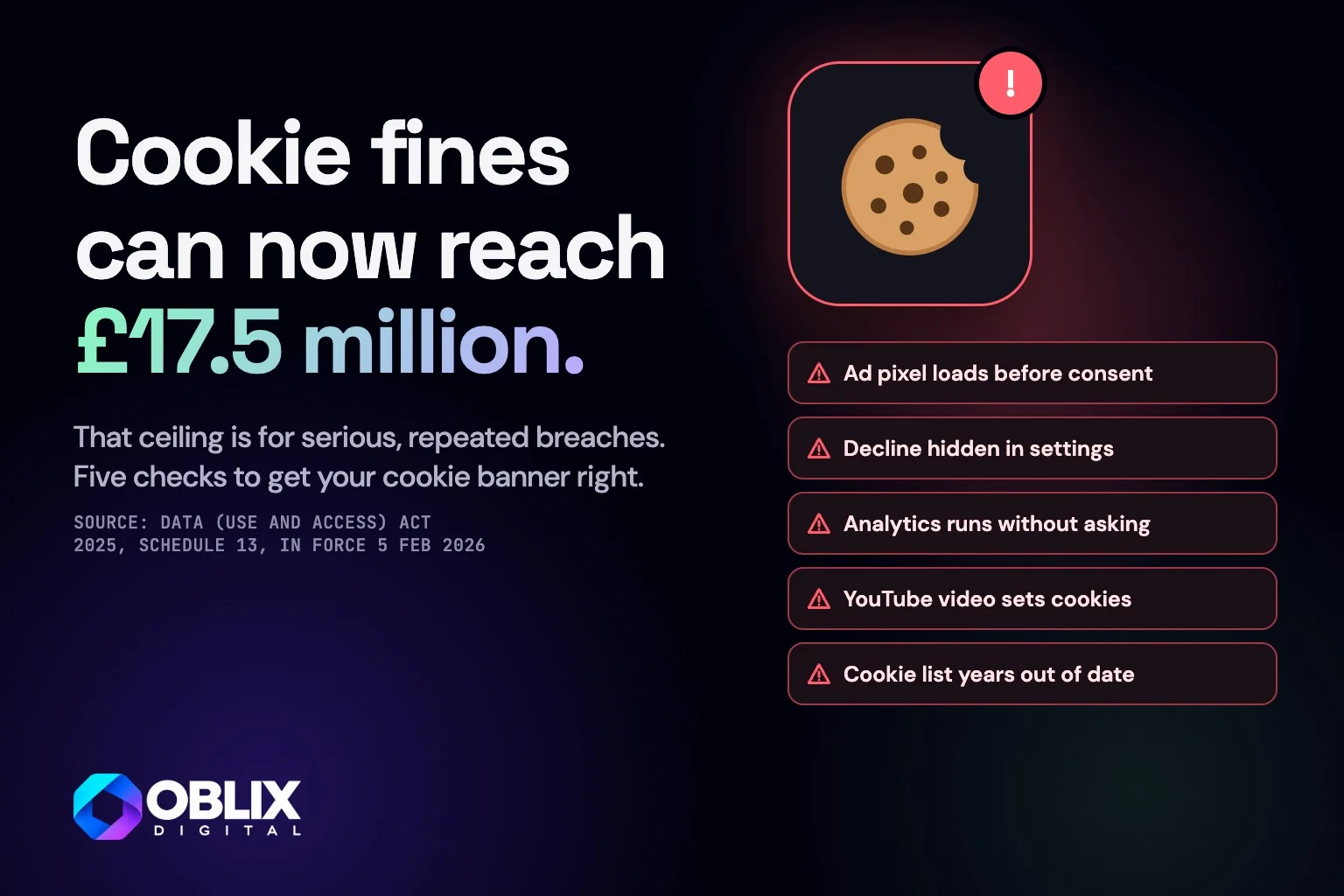
The same changes raised the maximum fine for breaking the cookie rules from £500,000 to £17.5 million or 4% of worldwide turnover. That ceiling is for serious, repeated breaches, but it means cookies are now enforced as seriously as the rest of data protection. Here are five checks to get your cookie banner right.
The bottom line
- If you don't need one
- Removing it keeps the visitors who leave when they see a banner
- If you get it wrong
- A PECR fine now capped at £17.5 million, and ad data you can't use because consent was never recorded
- What to do
- Spend ten minutes seeing what your site sets, remove what you don't use, then make sure the banner controls the rest
- Conclusion
- Worth doing right. Setting up consent properly takes an hour or two
£17.5m
New maximum fine for breaking the cookie rules, up from £500,000
5 Feb 2026
The date new cookie exceptions and higher fines took effect
53
Of the UK's top 100 websites warned by the ICO in November 2023 to fix their advertising cookies
Which law covers cookie banners in the UK?
Two sets of rules apply, and it helps to know which does what.
PECR (the Privacy and Electronic Communications Regulations) covers storing or reading anything on a visitor's device: cookies, local storage, tracking pixels and similar. This is the rule that asks for consent.
UK GDPR covers what you then do with any personal data those cookies collect.
So the cookie banner comes from PECR. The ICO (the Information Commissioner's Office, the UK's data protection regulator) enforces both.
Which cookies don't need consent?
Cookies that are strictly necessary for something the visitor asked for are exempt. The law now lists examples, which makes the line clearer than it used to be:
Remembering choices or inputs, such as a shopping basket or a cookie preference.
Logging someone in and keeping them logged in.
Security and fraud prevention, such as the spam protection on a contact form.
Detecting technical faults so the site keeps working.
You still have to tell people these exist, usually in your privacy notice. You just don't need to ask first.
What changed for cookies in 2026?
The Data (Use and Access) Act 2025 changed PECR, and those changes took effect on 5 February 2026. Two new exceptions matter for a small business website, and the fines went up sharply.
Some visitor statistics no longer need prior consent
You can now set cookies without asking first if their only purpose is to count how people use your website so you can improve it. There are conditions:
Keep the data to yourself. You can only share it with a provider that is helping you make those improvements.
Tell people clearly what the cookies are for.
Give a simple, free way to object, and stop if they do.
This is a narrow exception. It does not cover advertising, profiling or tools that pass the data to a provider for its own purposes.
Remembering how a visitor likes the site
A second exception covers cookies used only to adapt how the site looks or works to a visitor's preferences, such as a chosen language or text size. The same two conditions apply: tell people clearly, and give them a simple way to object.
Fines now match data protection fines
The maximum penalty for breaking PECR rose from £500,000 to the UK GDPR level: £17.5 million or 4% of worldwide turnover, whichever is higher. That ceiling is for serious, repeated breaches, not a small business with a slightly wrong banner. It does mean cookies are now enforced as seriously as the rest of data protection.
Does Google Analytics need a cookie banner?
Usually, yes. The new statistics exception only applies if the data is shared with a provider purely to help you improve your site. Google Analytics as most sites set it up can share data with Google for its own purposes and link to advertising, so it normally still needs consent.
Some privacy-focused analytics tools are designed to fit the exception. If you want to drop your banner on that basis, check the tool's settings against the ICO's guidance first.
Which cookies always need consent?
Advertising and retargeting pixels from Meta, Google Ads, LinkedIn or TikTok.
Embedded content that sets its own cookies, such as YouTube videos and some maps.
Chat widgets and heat-map tools that track behaviour.
Social sharing buttons that load from the platform.
Consent has to be a real choice. Carrying on browsing doesn't count, pre-ticked boxes are out, and the ICO has said rejecting should be as easy as accepting.
Five checks for your cookie banner
The carousel for this guide uses my own website, oblixdigital.co.uk, as the example. On it, nothing from Google, Microsoft or Meta loads until a visitor accepts, and "Decline all" sits next to "Accept all" on the first screen.

Swipe or scroll through, and tap a slide to see it larger
Know which cookies need a yes first. Ad pixels, most analytics and embedded videos such as YouTube need consent. Say what each one does and let people choose.
Don't block cookies the site needs. A basket, a login, spam protection and the cookie choice itself are exempt. Explain them in your privacy notice, without asking first.
Tracking should wait until they say yes. If ad and analytics tags load before anyone clicks, the banner is only decoration. Your consent tool has to hold them back until someone accepts.
Make Decline as easy as Accept. A big Accept button beside a small settings link is not a fair choice. In November 2023 the ICO wrote to 53 of the UK's top 100 websites, warning that they faced enforcement action if they did not change their advertising cookies to comply with the law.
Google Analytics usually needs a yes. The 2026 statistics exception is narrow. It only covers data shared with a provider purely to help improve your site, and Google Analytics normally goes further.
The cookie banner mistakes that cost you
Tracking that fires before anyone clicks
The banner is there, but Google Tag Manager loads every script on page load. The banner is decoration, and the consent you think you have doesn't exist. If you use a consent tool, it has to control the tags, not just sit on top of the page.
A tiny "Reject" option
A big "Accept all" button next to a small "Manage preferences" link that opens three more screens. The ICO has said it expects every website using advertising cookies to give people a fair choice over whether they consent.
Blocking cookies that don't need blocking
Some sites refuse to remember a basket or a login until the visitor accepts. The rules don't ask for that, and it makes the site harder to buy from.
A cookie policy that doesn't match the site
The banner links to a policy listing cookies from a theme or plugin the site stopped using years ago. It should describe what the site sets today.
How to set up cookie consent on a small business website
List what your site sets. Open it in a private window with the browser's developer tools and look at the cookies and storage. Most small sites have fewer than you'd expect.
Remove what you don't use. Old pixels, a chat widget nobody answers, a heat-map tool from a project that ended.
Drop the banner if only essentials are left. Explain them in a short cookie section of your privacy notice.
Use a consent tool that blocks tags if you run analytics or ads, with an equal "Reject" button.
Date your cookie information and update it when you add a new tool.
If you run Meta or Google ads, consent affects your ad tracking too, which I touch on in Google Ads vs Facebook Ads for small businesses. Cookies are also on my website launch checklist, and if your site was built with AI, the AI-built website checklist covers the legal basics as well.
Where to start today
Find out what your website actually sets. It takes ten minutes and usually turns up something you can delete. Cookie and privacy setup is part of every site I build through my web design and development work. If you would like yours checked, get in touch.
This is general information about UK rules as of November 2026, not legal advice. For anything unusual, check the ICO's guidance or speak to a solicitor.
Sources (9)
PECR Schedule A1: exceptions to the consent rule, legislation.gov.uk
Data (Use and Access) Act 2025 (Commencement No. 6) Regulations 2026, regulation 2
ICO: ICO warns organisations to proactively make advertising cookies compliant (January 2024)
Data Protection Act 2018, section 157: maximum amount of penalty, legislation.gov.uk
The carousel for this guide uses oblixdigital.co.uk as the example. Its cookie banner and privacy policy are captured from the live site. The other screens (a cookie list, a shop basket, Chrome DevTools, Google Analytics settings and a banner with a hidden Decline option) are drawn examples for a made-up business, not any real site.
Frequently asked questions
Does my website need a cookie banner in the UK?
Yes, if it sets anything beyond essential cookies, such as advertising pixels, most analytics or embedded videos. If it only uses strictly necessary cookies, you can skip the banner and explain them in your privacy notice.
Do I need a cookie banner if I only use Google Analytics?
Usually, yes. The 2026 statistics exception only applies when the data is shared with a provider purely to help you improve your site, and Google Analytics as normally set up goes further than that. Some privacy-focused analytics tools are built to fit the exception.
What changed in the UK cookie rules in 2026?
From 5 February 2026, the Data (Use and Access) Act 2025 added exceptions for some visitor statistics and for remembering a visitor's preferences, as long as people are told and can object. The maximum fine also rose from £500,000 to £17.5 million or 4% of worldwide turnover.
Is a cookie banner required by UK GDPR?
The consent rule comes from PECR rather than UK GDPR. UK GDPR then governs any personal data the cookies collect, so in practice both apply to most business websites.
Can my banner say 'by continuing you accept cookies'?
No. Consent has to be an active choice. Carrying on browsing doesn't count, and visitors need a way to refuse that is as easy as accepting.
Which cookies don't need consent?
Cookies strictly necessary for something the visitor asked for, such as a shopping basket, a login, security and fraud protection, or remembering their cookie choice. You still need to tell people about them.