Is Your Website Hiding Your Business From Customers? 7 SEO Priorities to Check First

Suley Tangun
Digital Marketing Specialist

Published · 8 min read
Good SEO is not a checklist of tricks you add after a website is finished. It starts with understanding what customers search for, giving them a useful answer and making sure search engines can access that answer. For a small business, those basics deserve attention before complicated reports or a large publishing schedule.
These are seven priorities I would work through, rather than seven official Google ranking factors. Some help search discovery, some help customers assess the business, and some help turn a relevant visit into a conversation. They work together, but ticking them off cannot guarantee a particular position.
If you only have time for five checks, start with these: make sure Google can find your pages (priority 4), give every service a page of its own (2), say what you do in the Google result (3), check everything works on a phone (6) and keep your local details accurate (7). They decide whether the right customers can find you, understand what you offer and get in touch.

Swipe or scroll through, and tap a slide to see it larger
1. Target the searches that match the work you want
A busy graph is not much use if the visitors need something you do not sell. Start with your actual services, the locations you cover and the questions people ask before buying. A gardener offering regular maintenance has a different opportunity from someone looking for free garden design ideas.
Write a short list of services and customer questions, then inspect the search results for each. Are the results service businesses, product listings or information guides? That gives you a starting point for the type of page needed. Use your enquiry history and Search Console data to refine the list instead of guessing from industry jargon.
2. Give each important service a useful page
A single sentence under “Our services” rarely answers enough. A strong service page explains what the work includes, who it suits, where you provide it and what happens when someone gets in touch. Include relevant project examples, limitations and price factors where you can discuss them accurately.
Do not stretch one small offer into dozens of near-identical pages simply to target more phrases. Create a distinct page when it helps a customer make a distinct decision, and combine closely related information when separating it would create repetition. Google's people-first content guidance is a more useful test than a target word count.
3. Make the page clear in the result and on the site
Write a specific page title, a helpful main heading and a description that accurately previews the content. For a local service, “Commercial cleaning in Hertfordshire” tells someone more than “Excellence through innovation”. The wording should match the page rather than promise a service or coverage you cannot provide.
For example, the villa page on a concierge site I built has the title “Private Villas | Pure Concierge Services” and a description that says what is included: whole-property rentals for groups and families, with staffing, provisioning and transport arranged around them. A searcher knows what the page offers before they click, which a page called “Home” cannot do.
Google can generate different title links and snippets, so your saved wording is an input rather than a fixed advert. Give each important page its own purpose and avoid repeating the same title everywhere. A meta description can help explain the result; it is not a place to paste a list of every town you would like to rank in.
4. Check that Google can find and index the right pages
Search Console's URL Inspection and indexing reports help you check whether important public pages are included and investigate problems. Broken URLs, server errors or a leftover noindex instruction can undermine otherwise useful content. A submitted sitemap helps discovery but does not force Google to index every page.
Three quick checks for each important page: it loads without errors, nothing on it tells Google to skip it (a leftover noindex tag is the usual culprit after a redesign), and it is listed in your sitemap. Search Console's URL Inspection tool shows whether a page is on Google and, if it is not, the reason.
Keep administration pages, private records and sensitive material out of public search. Removing every restriction is not an SEO strategy. If the reports are unfamiliar, my technical SEO guide explains the checks in plain English.
5. Join the pages together with useful links
Navigation and internal links help people move from a general question to the relevant service, project or contact route. A blog about shutter options should link to the shutter service page where it makes sense, rather than leave the reader at the end of an article with nowhere useful to go.
Use descriptive link text so the destination is understandable. Review your important pages as a connected journey: can someone reach them through normal navigation, and can they find evidence and a next step once they arrive? Relevant external links and genuine mentions can also help establish context and discovery, but buying a package of arbitrary links is not a substitute for a useful business website.
6. Make the mobile experience work properly
Google reads the mobile version of your pages first: it uses mobile content for indexing, and customers need a page they can read and operate. Check that the service information, links and contact options remain available on a phone. Content can be organised differently on mobile, including in sensible expandable sections; deleting important information is a different decision.
Use performance tools to investigate slow loading, delayed interactions and layout movement. Core Web Vitals are part of Google's ranking systems, but a perfect speed score does not compensate for an irrelevant page. Read what website speed affects before treating a laboratory score as the whole project.
7. Give local customers accurate information and evidence
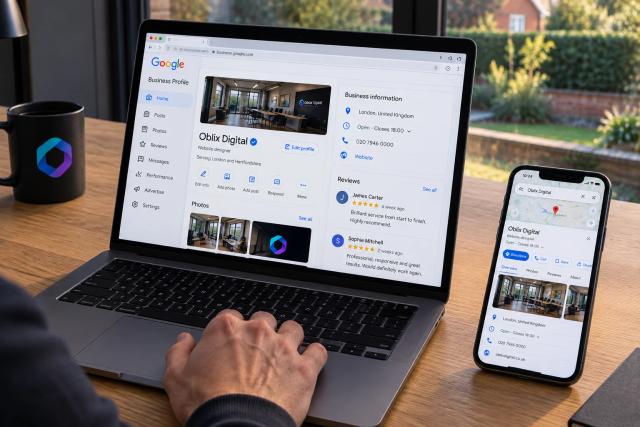
If you serve a local area, keep your Business Profile and website accurate about the services, contact details and places you cover. Use the same business name, phone number and areas served on your Business Profile and your website, so neither one contradicts the other. Support location pages with real information about the work rather than changing the town name on copied text. Genuine project photos and customer feedback help people assess whether you are a credible choice.
Google says local results consider relevance, distance and prominence. You cannot move your business closer to every searcher, but you can improve the completeness and accuracy of the information you provide and ask customers for honest reviews without incentives. The local SEO guide goes further into the website side.
What should you do first?
Pick the service that matters most commercially and review its page against the seven priorities. Fix anything that prevents access or an enquiry, then improve the explanation and evidence. Measure relevant search queries, visits and genuine enquiries together; do not assume an unrelated rise in traffic proves the work has paid off.
This overview complements the detailed guides rather than replacing them. If you need help deciding which changes deserve attention, see how I approach SEO or send me the website and the work you want more of.
The bottom line
- Where to start
- Match useful service pages to real customer searches
- What to fix
- Access, clear content, links and a usable mobile journey
- What to measure
- Relevant visibility and genuine enquiries alongside traffic
- Conclusion
- Good SEO is a set of connected improvements, not a guaranteed seven-factor formula
Frequently asked questions
Are these Google's seven ranking factors?
No. They are practical priorities for a small business website, combining discovery, relevance, usability and customer decision-making. Google's ranking systems use many signals.
Should I publish more blogs before improving my service pages?
Start with the pages that explain the work you want to sell, unless a different problem is clearly more urgent. Blogs are useful when they answer genuine questions and support a coherent customer journey.
Does a perfect speed score guarantee better rankings?
No. Performance matters, but Google also assesses relevance and many other signals. Investigate real usability problems rather than pursuing a score in isolation.
Do I need a page for every town?
Only create separate location pages when you have useful, distinct information to provide. A large set of near-identical pages can be unhelpful and may create spam-policy risks.