Is Your Website Telling Customers It’s Not Safe? How to Fix “Not Secure”

Suley Tangun
Digital Marketing Specialist
Published · 9 min read
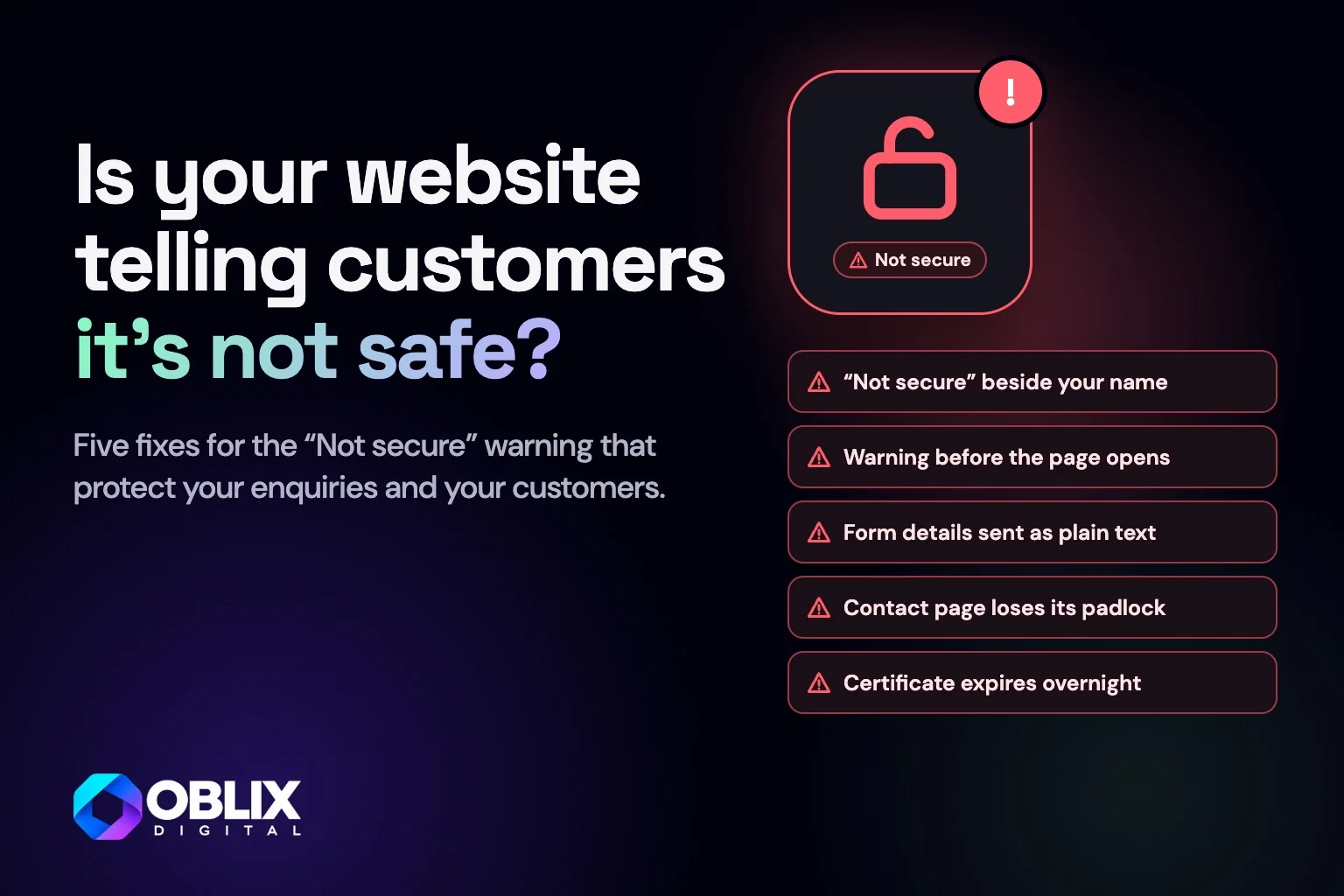
A "Not secure" warning on your website means it is loading over HTTP, without the encryption that HTTPS provides. Browsers show the warning right beside your address, and many customers assume something is wrong with the business. The fix is usually a free certificate and a few settings changes.
If you only do five things, make sure the warning never stops customers reaching you, keep the details they type into your forms safe, check every page for insecure files, send old addresses to the secure site and make sure your certificate renews by itself. The six steps below cover all five.

Swipe or scroll through, and tap a slide to see it larger
The bottom line
- What it costs
- Enquiries from people who see the warning and leave, plus a small hit in Google
- What fixing it costs
- Usually nothing. Let's Encrypt certificates are free and most hosts install them for you
- What to do
- Fix it this week
- Conclusion
- One of the cheapest website problems to solve
£0
Cost of a basic SSL certificate from Let's Encrypt
90 days
How long a Let's Encrypt certificate lasts today, so it must renew itself
Chrome 154
The version Google named for warning before opening HTTP sites by default
What does "Not secure" mean on a website?
HTTPS means the connection between a visitor's browser and your website is encrypted. Anything typed into a form, from a name to a phone number, cannot be read on the way. HTTP, without the S, sends it as plain text.
To use HTTPS, a site needs an SSL certificate (strictly a TLS certificate, but most people still say SSL). It proves the site is genuine and switches on the encryption. With no certificate, or one that has expired or been set up wrongly, browsers warn visitors.
Chrome has labelled every HTTP page "Not secure" since Chrome 68 in July 2018, and other browsers show similar warnings. Google has also said Chrome will switch on its "Always Use Secure Connections" setting by default for public sites, which means Chrome asks before opening an HTTP page at all. Google announced the change in October 2025 for Chrome 154.
Why a "Not secure" warning costs a small business
It scares off customers
Most people do not know what SSL is. They see a warning next to your name and assume the worst, so forms go unfilled and calls never happen.
It can affect your Google rankings
Google has used HTTPS as a ranking signal since 2014. Google called it a lightweight signal, but it is one of the few you can fix in an afternoon.
It puts customer details at risk
If your contact form sends names, emails and phone numbers over HTTP, you are handling personal data without basic protection. UK GDPR expects appropriate security measures, and the ICO's guidance lists encryption among them.
Chrome makes this visible: since Chrome 70 in October 2018, the grey "Not secure" label turns red as soon as someone starts typing into a form on an HTTP page.
How to fix the "Not secure" warning
1. Get an SSL certificate
You almost certainly do not need to pay. Let's Encrypt issues free certificates, and most hosts install them with one click or automatically. If your host wants to charge for a basic certificate, ask why, and ask yourself whether that host is worth keeping. Paid certificates exist for special cases, such as covering many subdomains at once. A typical small business website does not need one.
2. Switch the site to HTTPS
Once the certificate is in, tell the site to use it. On WordPress, change both addresses under Settings, General to https://, then update links stored in the database. Many hosts have a tool for this.
3. Redirect HTTP to HTTPS
Every old http:// address should send visitors to the https:// version with a permanent redirect (a 301, or a 308, which works the same way). Google has used HTTPS as a ranking signal since 2014, so you want it to see one secure site. Without the redirect, Google can treat the two versions as separate sites, and old links people have shared keep landing on the insecure one.
On John Grants, typing http://johngrants.com returns "308 Permanent Redirect" and lands on https://johngrants.com/, so old links people shared still work.
4. Fix mixed content
This is the step people miss. If a page loads over HTTPS but one image, script or font still loads over HTTP, browsers block it or drop the padlock. Common causes are images pasted in with full http:// addresses, old video embeds and third-party scripts. Your browser's developer console lists them.
Check every page with a form as well as the homepage. On an estate agent site I rebuilt, John Grants, the home, property, selling, area and contact pages all load every file over HTTPS, so every page keeps its padlock.
5. Update everything that links to your site
Google Search Console: add the HTTPS version and submit your sitemap there.
Google Business Profile and directories: update the website link.
Google Ads: update final URLs so clicks do not go through a redirect.
Sitemap and robots file: both should use https:// addresses.
Email signatures and print: update them next time they are reprinted.
6. Make sure the certificate renews
Let's Encrypt certificates last 90 days and are meant to renew automatically. If renewal fails, your site can go from fine to a full-page warning overnight. Check renewal works a week after set-up, and set a reminder to check again.
For example, the John Grants certificate is from Let's Encrypt, issued on 23 October 2026 and valid until 21 January 2027. It renews by itself: the public certificate log shows earlier renewals on 27 June and 26 August 2026.
Certificates are getting shorter. Let's Encrypt plans to cut its default to 64 days in February 2027 and 45 days in February 2028, so renewing by hand will soon be impractical. If yours is still renewed manually, switch to automatic renewal now.
The padlock only protects you while the certificate keeps renewing, so automatic renewal matters as much as the certificate itself.
Why does my site still say "Not secure" with HTTPS?
Work through these in order:
Expired certificate. Click the icon in the address bar to see the certificate's dates.
Wrong domain on the certificate. A certificate for example.co.uk does not cover www.example.co.uk unless it was issued for both.
Mixed content. See step 4. This is the most common cause.
The site address is still HTTP. The certificate exists, but the site was never switched over.
Old pages in a cache. Clear your caching plugin or CDN after making changes.
Check your site in two minutes
Open your website in a private browser window and look at the address bar. If you see a padlock, check your contact page and any page with a form too. If you see "Not secure" anywhere, fix it this week. A warning is one of the quiet reasons a good-looking website gets no enquiries, and often sits alongside the other problems in an ageing WordPress site.
Would rather not do it yourself? It is part of my website work, and you can get in touch for a quick look.
Frequently asked questions
Why does my website say "Not secure"?
Your site is loading over HTTP instead of HTTPS, or its certificate has expired, covers the wrong address or is set up wrongly. Browsers show the warning so visitors know their details are not encrypted.
How do I fix the "Not secure" warning on my website?
Install an SSL certificate, switch the site address to https://, redirect every http:// address to https:// and fix any images or scripts still loading over HTTP. Then make sure the certificate renews automatically.
Does an SSL certificate cost money?
Not for a standard small business website. Let's Encrypt provides them free and most hosts install and renew them automatically. Paid certificates are for special cases such as covering many subdomains.
Will switching to HTTPS affect my Google rankings?
Done properly, with redirects in place, it should help slightly. Google has used HTTPS as a lightweight ranking signal since 2014. Rankings can wobble for a short while as Google picks up the new addresses.
My homepage has a padlock but my contact page says "Not secure". Why?
Almost always mixed content: something on that page, such as an image, script or form, still loads over HTTP. Your browser's developer console shows which file.
Is it safe to fill in a form on a "Not secure" website?
Anything you type is sent unencrypted and could be read on the way. Avoid entering personal or payment details until the site uses HTTPS.